| Tool Name | Description |
|---|---|
| morningstar-analyst-research-tool | Returns relevant portions of Morningstar’s analyst- and quantitative-driven forward-looking investment reports. |
| morningstar-articles-tool | Returns relevant portions of articles, news, and commentary published on Morningstar.com and other Morningstar products. |
| morningstar-data-tool | Retrieves Morningstar’s AI-ready data for global mutual funds, ETFs, and stocks. |
| morningstar-fund-holdings-tool | Retrieves the top holdings for a list of mutual funds or ETFs. |
| morningstar-id-lookup-tool | Acts as the MCP server’s entity detection layer, identifying the relevant investments and data points to hand off to other tools. |
| morningstar-portfolio-analysis-tool | Analyzes a portfolio of holdings or a fund using Morningstar's X-Ray methodology, delivering breakdowns across asset allocation, sector exposure, geographic region, investment style, and risk/return metrics. |
| morningstar-screener-tool | Retrieves a list of investments that match given criteria. |
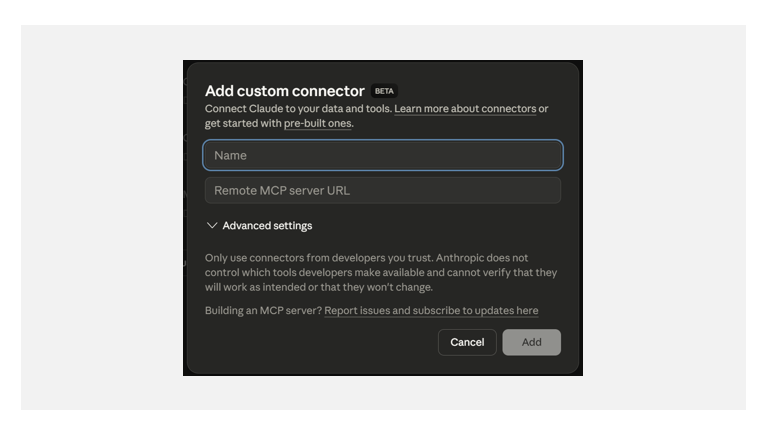 **User: Add Morningstar to Account**
Navigate to *Add files, connectors, and more* → *Add connectors*. Search for Morningstar and connect. Authenticate using your Morningstar credentials.
**User: Add Morningstar to Account**
Navigate to *Add files, connectors, and more* → *Add connectors*. Search for Morningstar and connect. Authenticate using your Morningstar credentials.
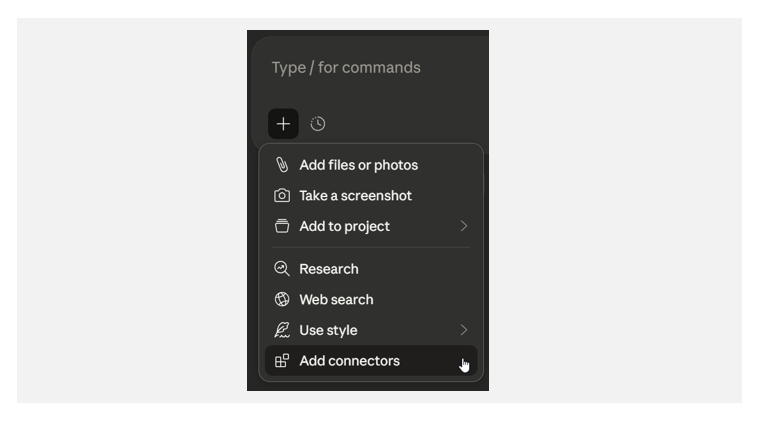 Alternatively, go to *Settings* → *Connectors*, select Morningstar, and authenticate there.
### ChatGPT
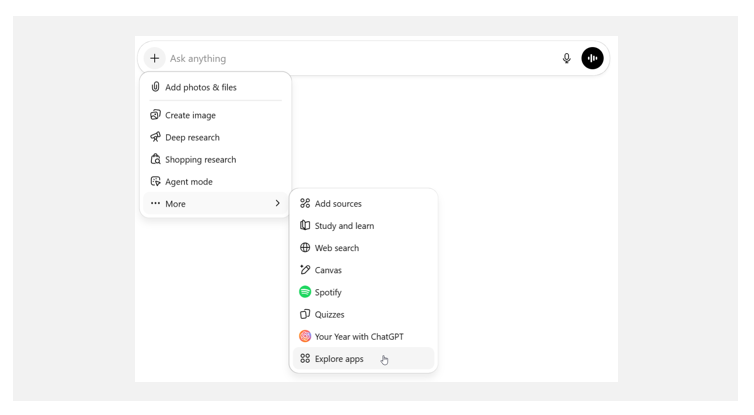
In ChatGPT, navigate to *Add files and more* → *More* → *Explore apps*. Search for Morningstar and connect.
Alternatively, go to *Settings* → *Connectors*, select Morningstar, and authenticate there.
### ChatGPT
In ChatGPT, navigate to *Add files and more* → *More* → *Explore apps*. Search for Morningstar and connect.
 ### Copilot Studio
In Copilot Studio, navigate to an agent you have created (or create a new agent) then navigate to *Tools* → *Add a tool*. Search for Morningstar and connect.
### Copilot Studio
In Copilot Studio, navigate to an agent you have created (or create a new agent) then navigate to *Tools* → *Add a tool*. Search for Morningstar and connect.
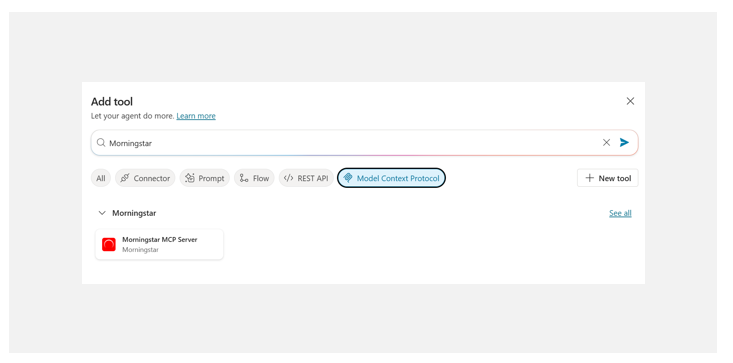 We support OAuth authentication in Copilot Studio.
### Copilot App
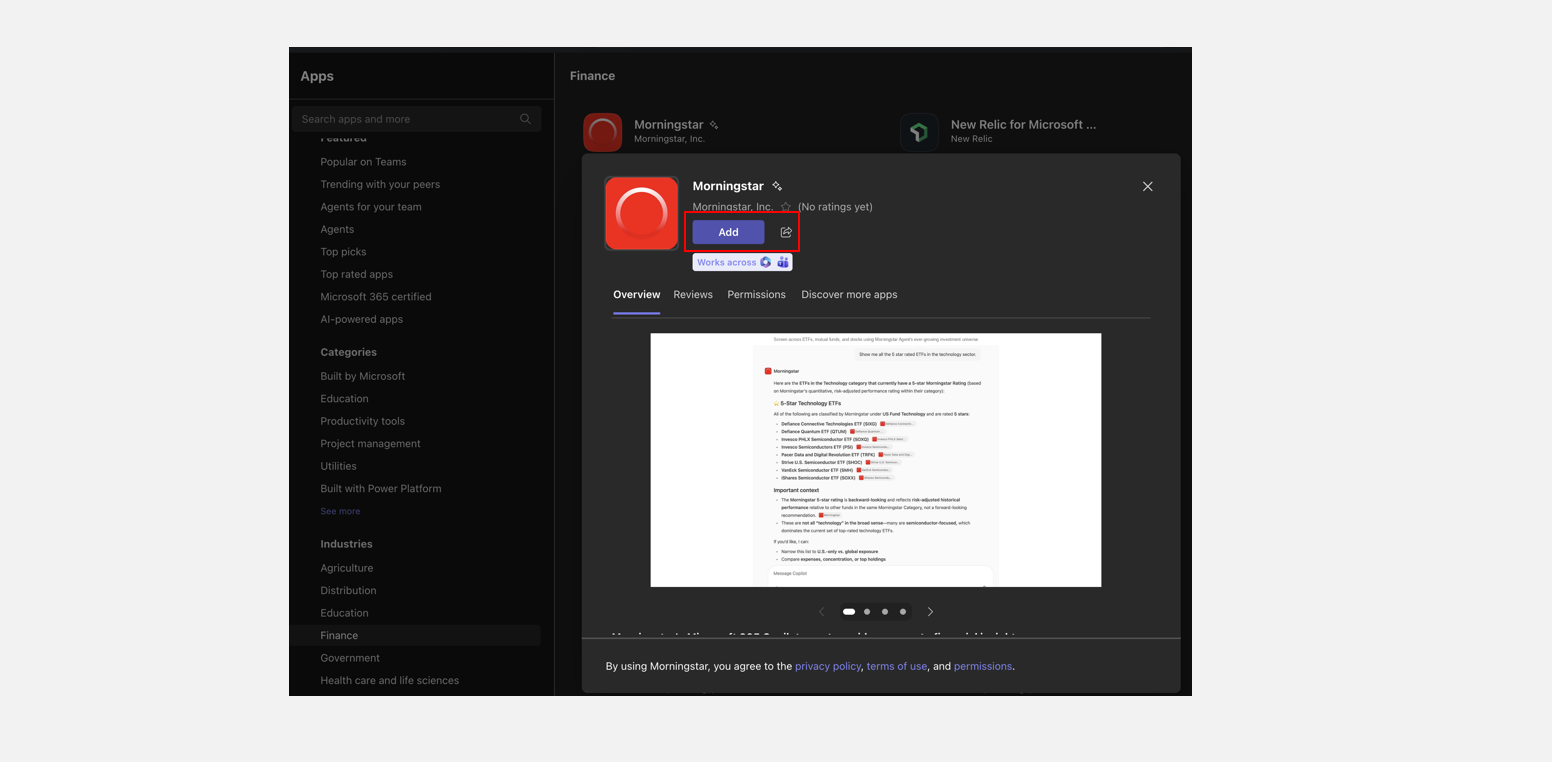
In Copilot, navigate to *Apps*. Search for Morningstar and connect.
We support OAuth authentication in Copilot Studio.
### Copilot App
In Copilot, navigate to *Apps*. Search for Morningstar and connect.
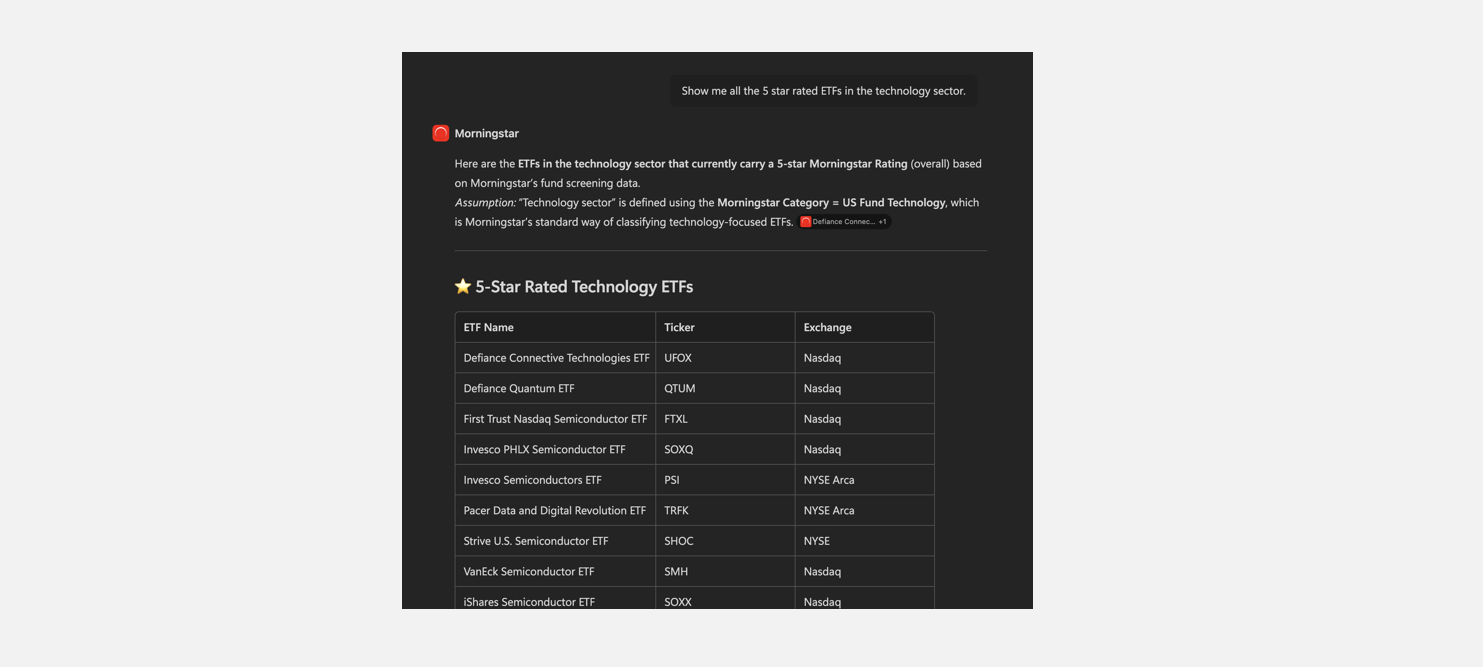
 Start using straight away by asking a question.
 ### Microsoft Foundry
In Microsoft Foundry, navigate to *Tools*. Search for Morningstar and connect.
### Microsoft Foundry
In Microsoft Foundry, navigate to *Tools*. Search for Morningstar and connect.
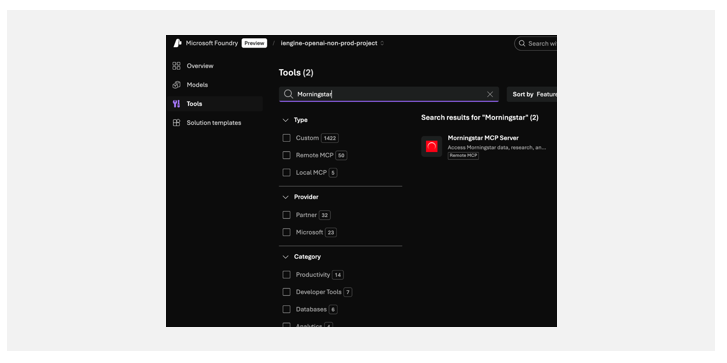 Then, select **Use in Agent** and choose your agent.
We support both token‑based authentication and OAuth authentication in Foundry.
### Perplexity
See the Perplexity documentation for the [steps to connect](https://www.perplexity.ai/help-center/en/articles/14818152-connecting-perplexity-with-morningstar) to the Morningstar MCP Server.
### Programmatic Access
Connect to the Morningstar MCP Server from your own code using any standard MCP client over Streamable HTTP.
**MCP endpoint:** https://mcp.morningstar.com/mcp
Example mcp.json configuration:
```json
{
"mcpServers": {
"morningstar": {
"url": "https://mcp.morningstar.com/mcp",
"headers": {
"Authorization": "Bearer
Then, select **Use in Agent** and choose your agent.
We support both token‑based authentication and OAuth authentication in Foundry.
### Perplexity
See the Perplexity documentation for the [steps to connect](https://www.perplexity.ai/help-center/en/articles/14818152-connecting-perplexity-with-morningstar) to the Morningstar MCP Server.
### Programmatic Access
Connect to the Morningstar MCP Server from your own code using any standard MCP client over Streamable HTTP.
**MCP endpoint:** https://mcp.morningstar.com/mcp
Example mcp.json configuration:
```json
{
"mcpServers": {
"morningstar": {
"url": "https://mcp.morningstar.com/mcp",
"headers": {
"Authorization": "Bearer